Amazon Launch 0-1
The Lowest-Cost Amazon Visual Workflow
The case works because the team did not begin with image generation. They began with a parameter PDF, competitor links, a weighted planning layer, and a human review checkpoint before generating Amazon main and selling-point images.
This guide is based on a real service case with a mature Amazon seller team. We removed the ordinary back-and-forth and start at the point where the team already had a physical sample, product parameters, and competitor links.
That is why the case is worth reading. It is not a one-click AI story. The useful part is how the team used structured product information, competitor context, an AI planning agent, human review, and image generation in sequence before a listing went live.
Answer first
The lowest-cost Amazon visual workflow is not to ask AI to do everything at once. It is to make the product facts and competitor context clear first, use AI to draft a commercial image plan, review that plan manually, and only then feed approved directions into image generation.
For this seller, the saving came from reducing blind design time and repeated photoshoots. The control came from keeping a human checkpoint between strategy, copy, and image output.
The case context
The seller in this case was not starting from zero. The team had been operating on Amazon for about five years and already had a strict early-stage planning and visual marketing SOP. Because of that, we did not want to throw a product into an AI image tool and hope it covered every angle.
The first working file was a PDF from the purchasing side: product parameters, real attributes, and competitor links. That file became the foundation for everything after it.
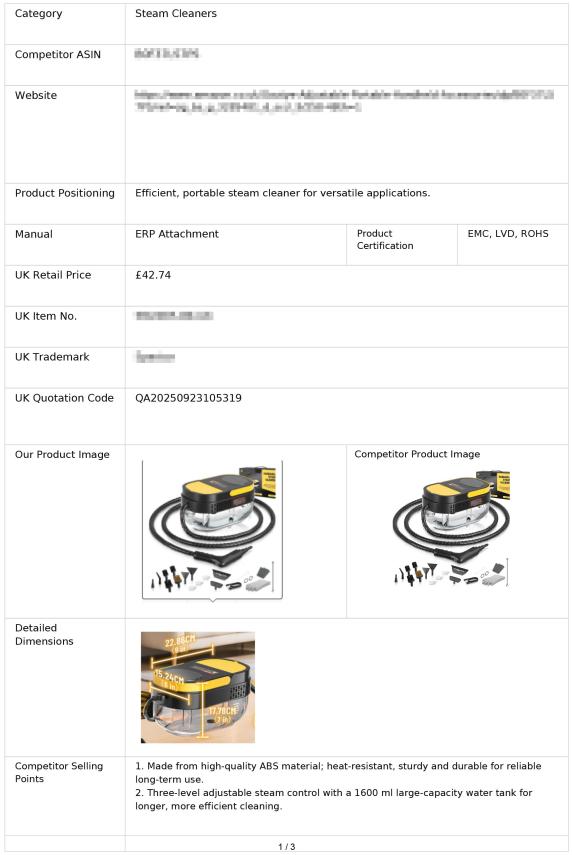
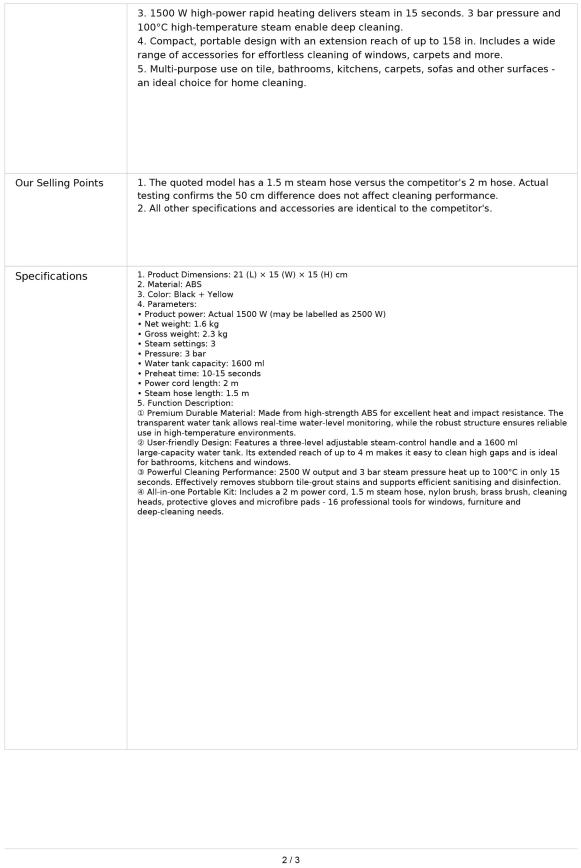
The first two images in the draft are the product-parameter PDF pages. They appear before the agent screen because the workflow starts with product facts, not prompts.
The file was then dragged into a beta online agent built to read product information and competitor parameters. From the outside, this step can look almost too simple: upload a PDF, click generate, and get copy direction.
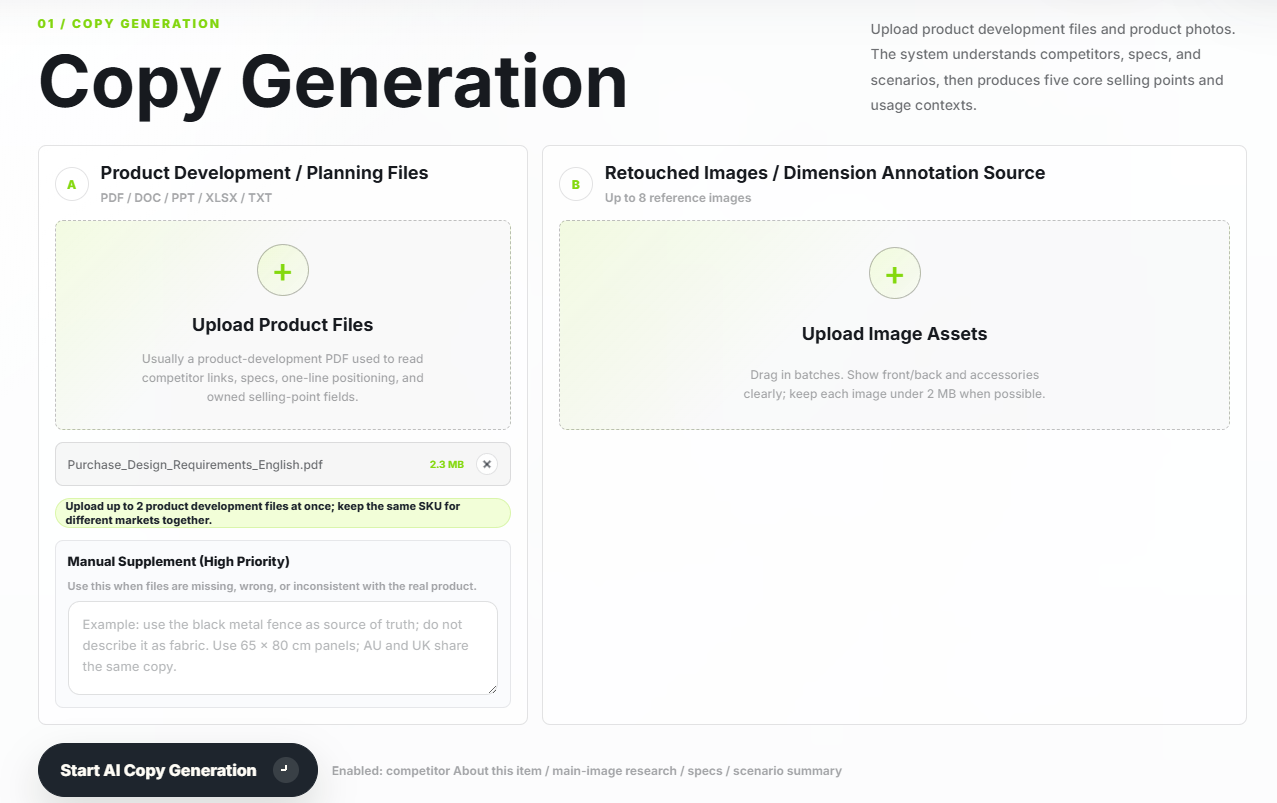
The underlying model can summarize information, but the value of this agent was the judgment layer around it. It was tuned around Amazon marketing experience so a designer could understand the product's real attributes before seeing the item in person.
Why the planning layer uses weights
The first layer gives the output a basic weight structure:
- Product information judgment: 30%.
- Competitor reference: 50%.
- Real user demand and usage habits: 20%.
This is not decorative scoring. It tells the later image plan what should matter most: extract the product facts deeply, learn from comparable products that already sell, and then look for buyer needs that can make the picture more specific.
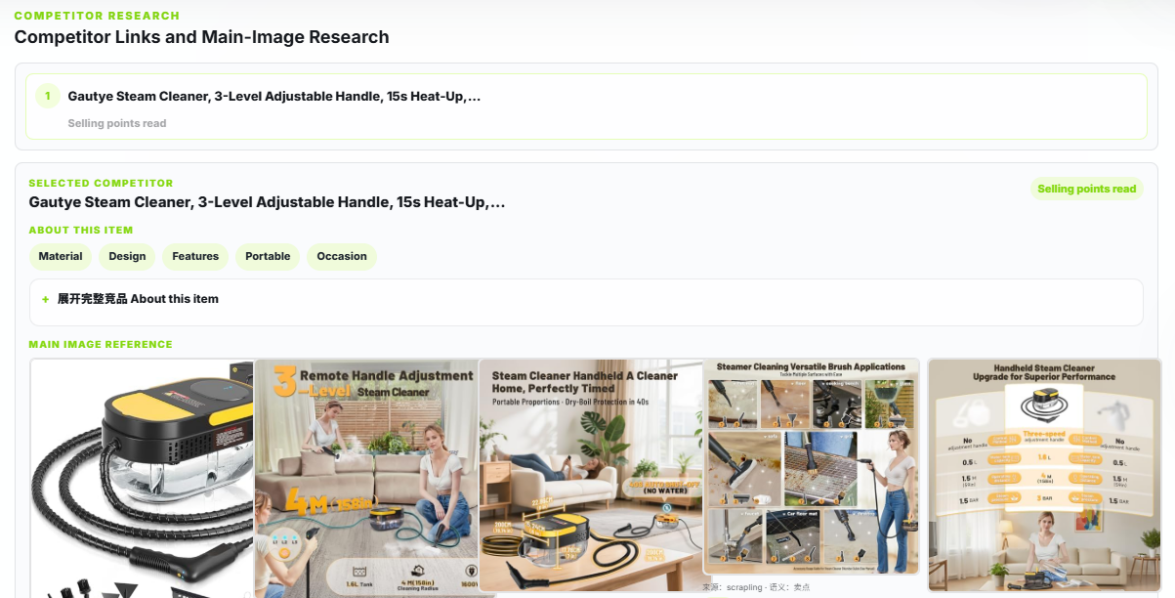
From competitor analysis to image directions
The second layer scans competitor data and image content. It gives the designer a quick route into what similar products are showing, which image patterns repeat, and which keywords appear after visual analysis.
The third layer turns that understanding into main-image and selling-point plans. In this draft, the agent produced two different directions for image generation, and the final results could still be edited before they were used downstream.
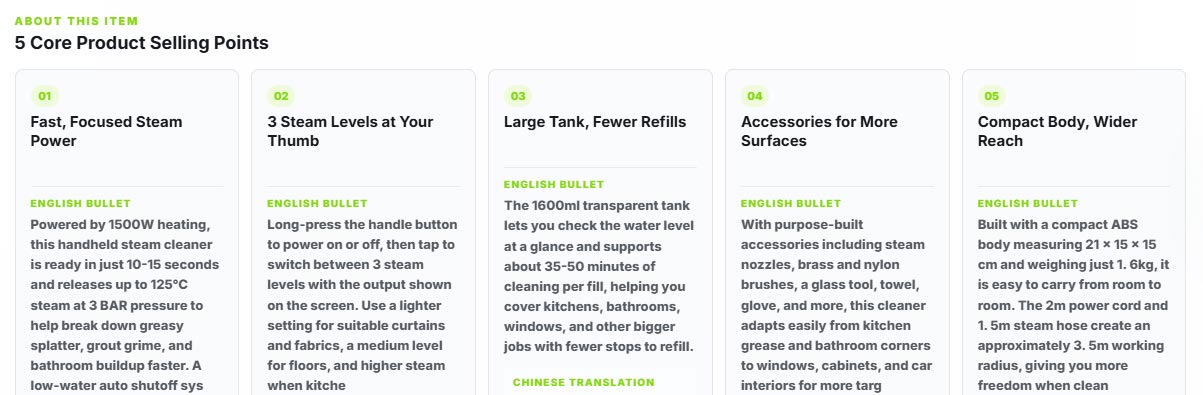
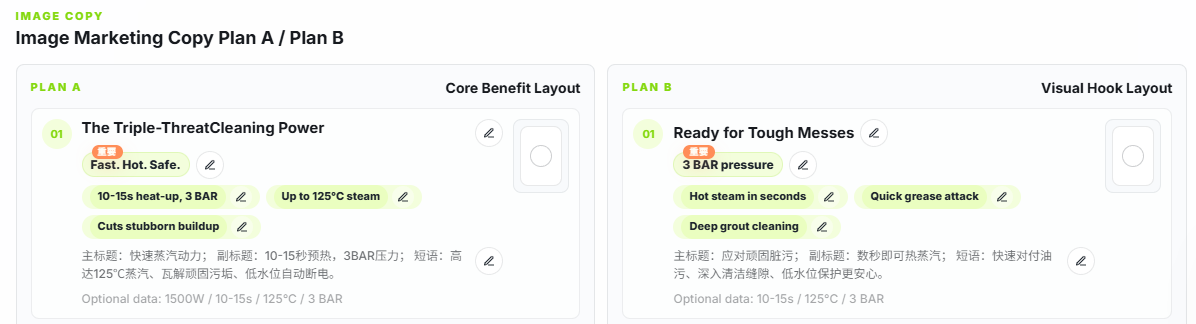
This is the point where the process feels slower than a one-sentence prompt, but the extra step matters. It creates a reviewable direction before the team spends time generating or polishing images.
Why not go straight to AI images?
Two questions usually come up here.
First, why build such a detailed copy and planning system when a general model can summarize a file? In principle, a skilled operator can push a general model close to the same answer with enough rules, examples, and follow-up prompts. In practice, that takes more time, especially across different product categories.
Second, if the planning workflow is already standardized, why not let AI generate every image directly from the copy? Because several judgments in the middle still need boundaries and review. Abstract selling points need to be made concrete. Claims need to stay inside what the product can support. Usage scenes need to make physical sense.
For this workflow, the human checkpoint between planning and image generation was not a delay. It was the second review that kept the visual direction from becoming generic or misleading.
Generate after the direction is approved
Once the commercial direction was clear, the Amazon main images and selling-point images could be generated with GPT-image-2 or Nano Banana. At a glance, the results looked reasonable because the image prompts were no longer guessing from thin context; they were guided by the approved copy and planning layer.
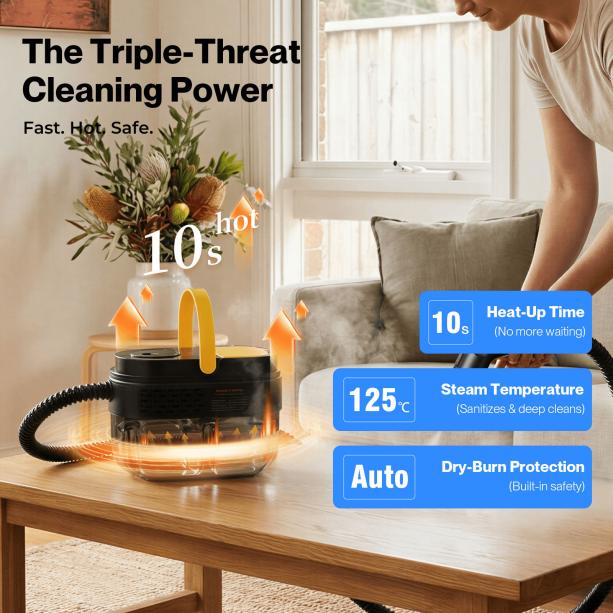
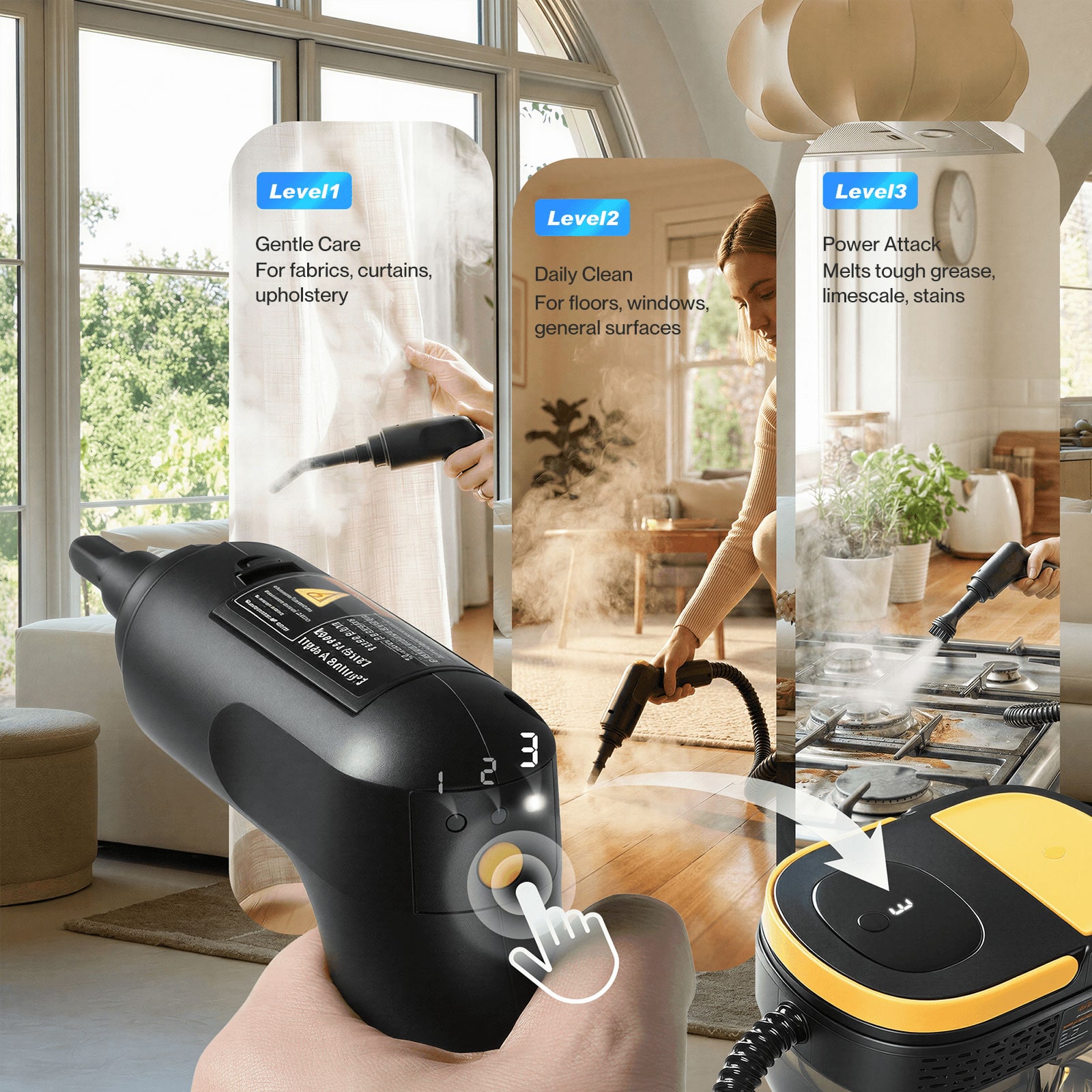
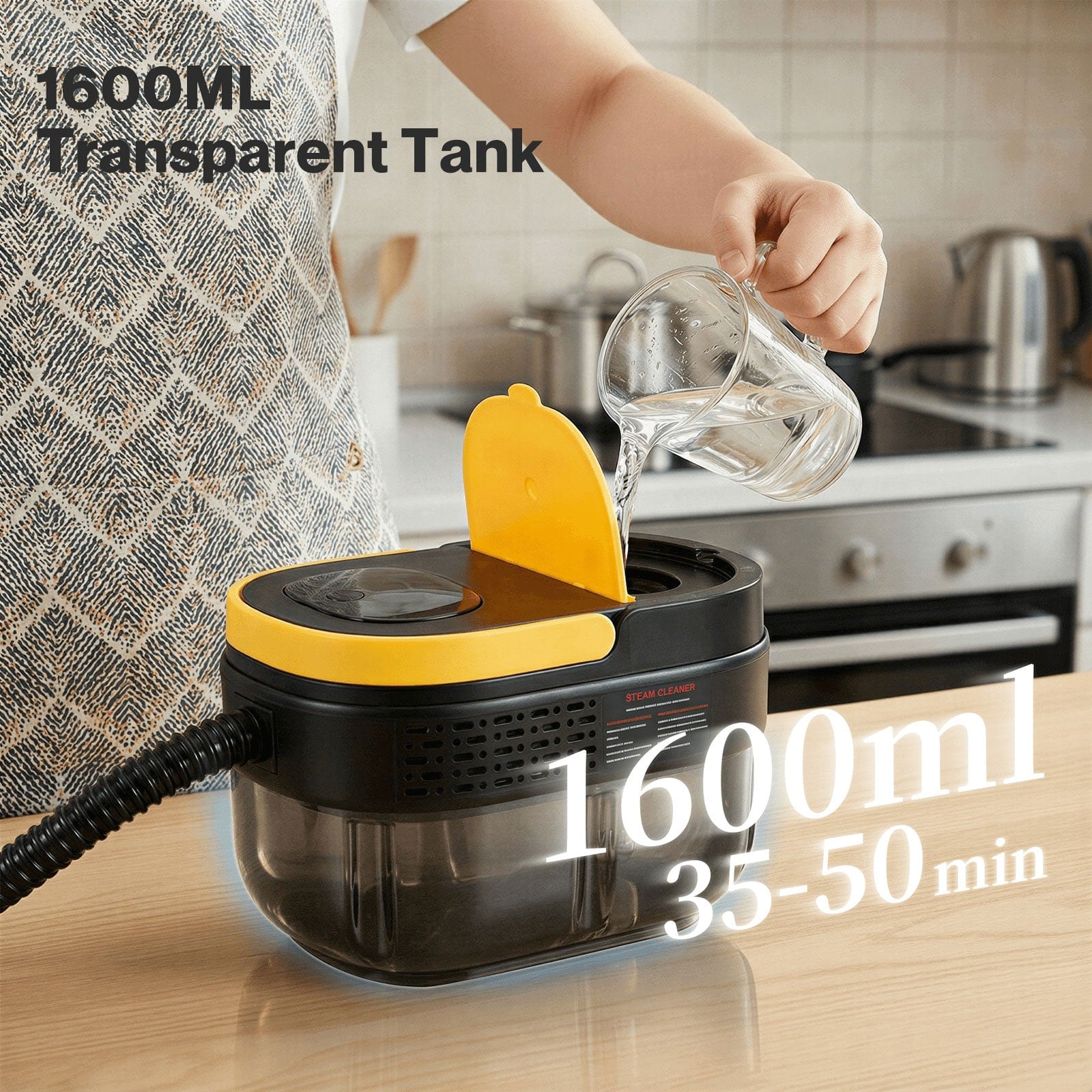
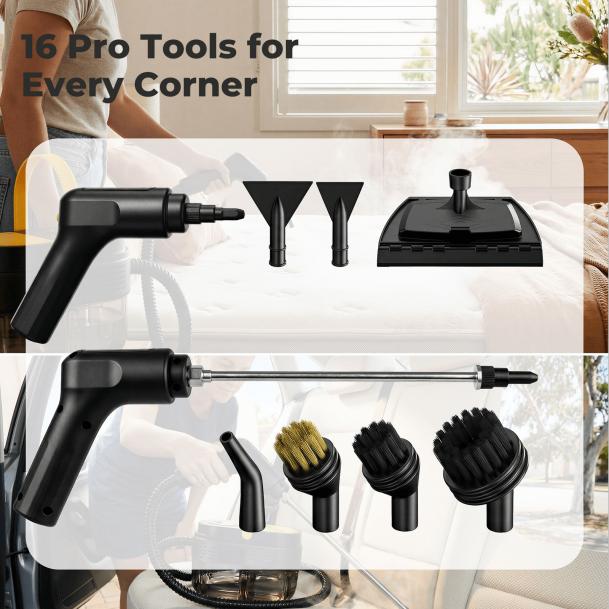

The client reported that demand perception improved after the selling points were shown more clearly, and the observed organic conversion average was around 4.5%. Treat that as a case observation, not a promise. The stronger takeaway is that image generation worked better after the team had already decided what each picture should prove.
Phone photos can become useful source material
The last image block in the draft shows a practical product-photography shortcut: shoot the product on white card or a clean floor with a phone, capture normal indoor light, and include several angles. Then use Nano Banana or GPT-image-2 to relight the product into a cleaner commercial packshot while preserving the product details.
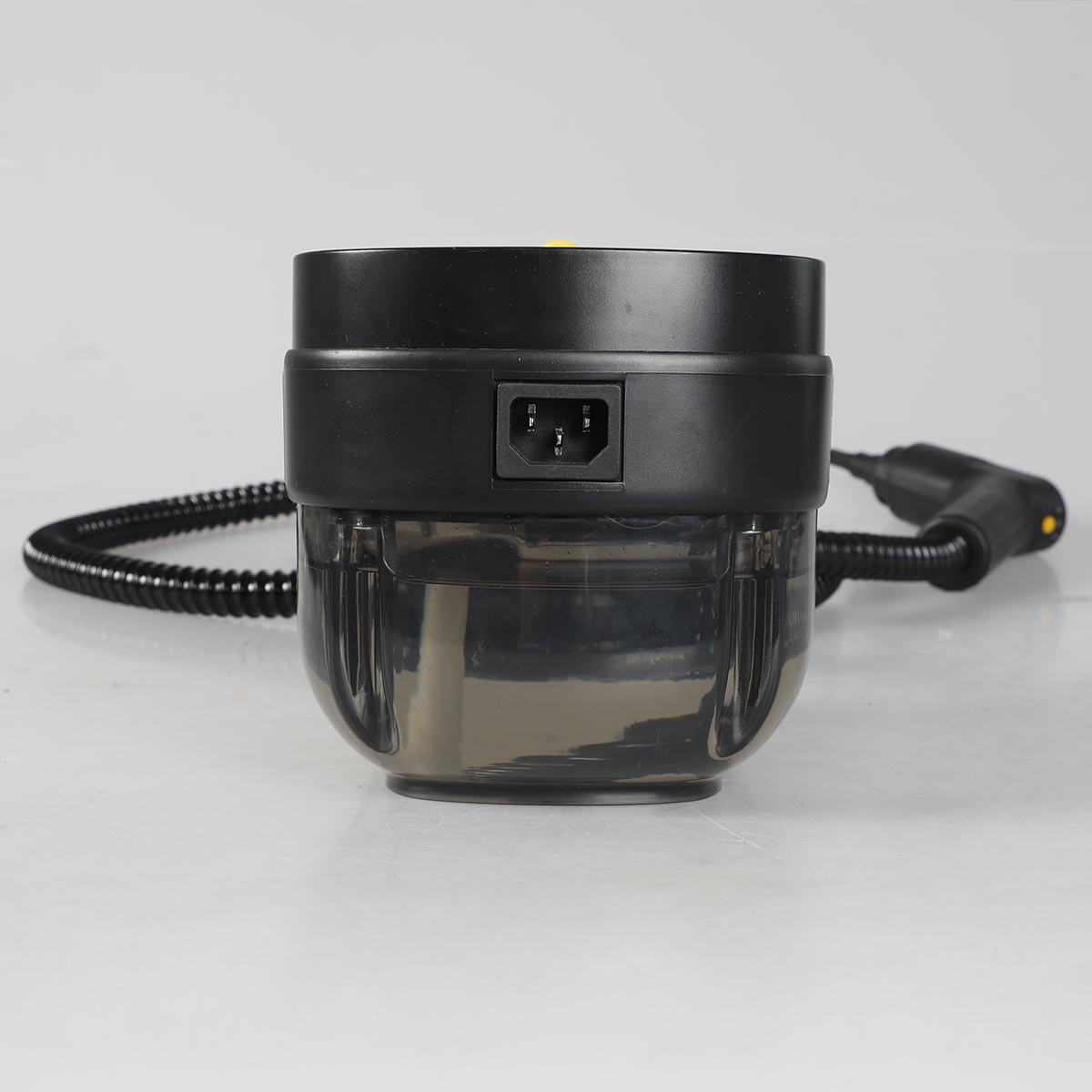
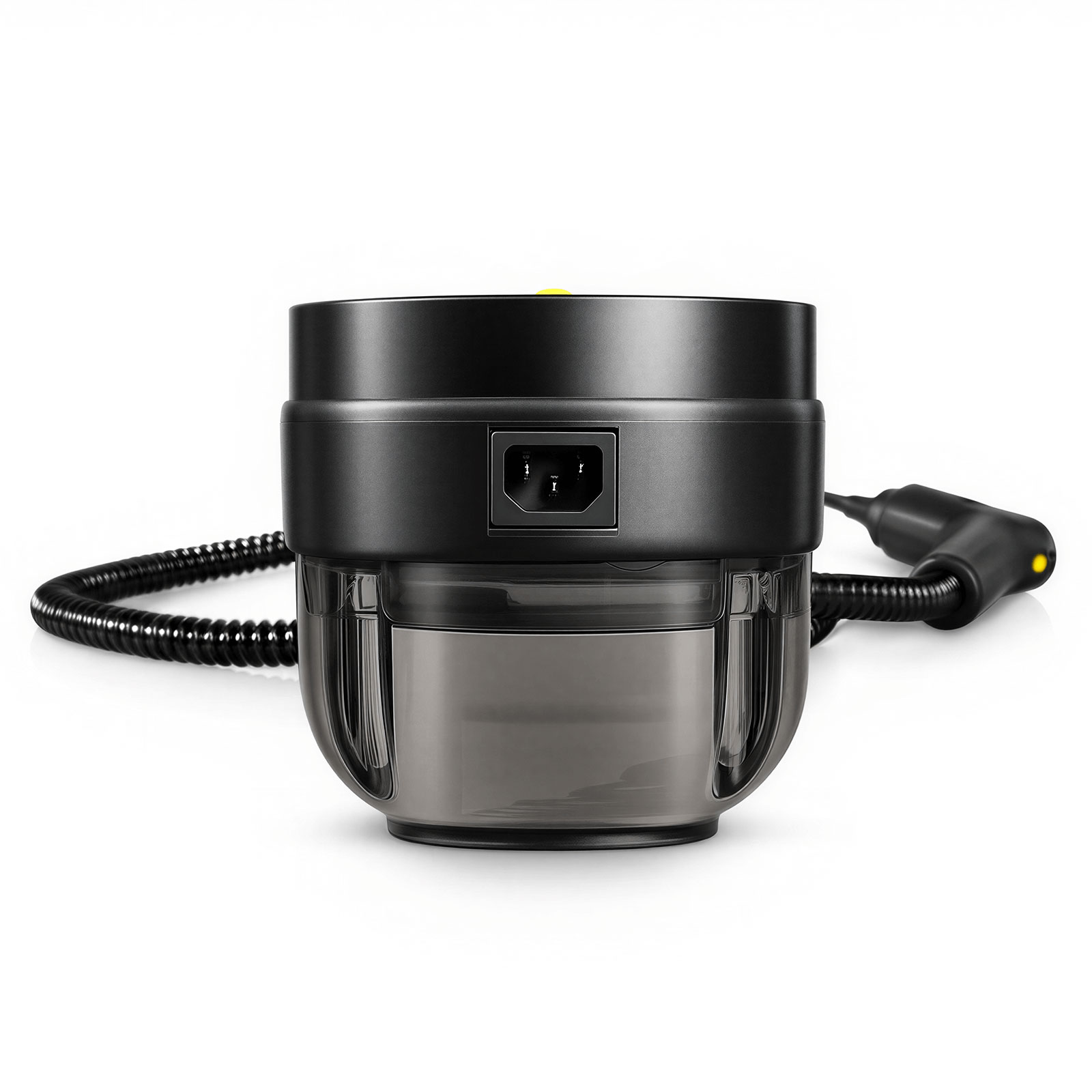
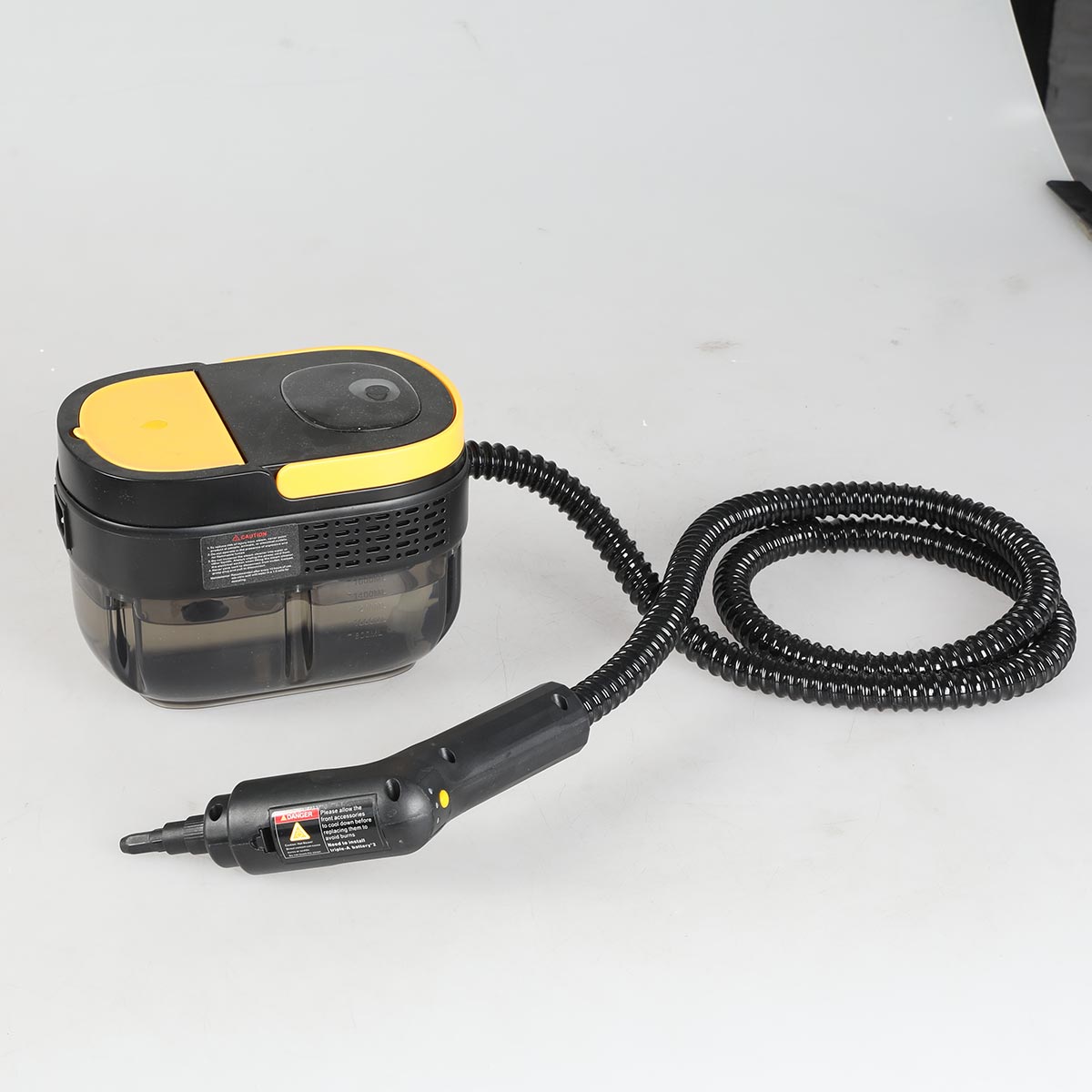
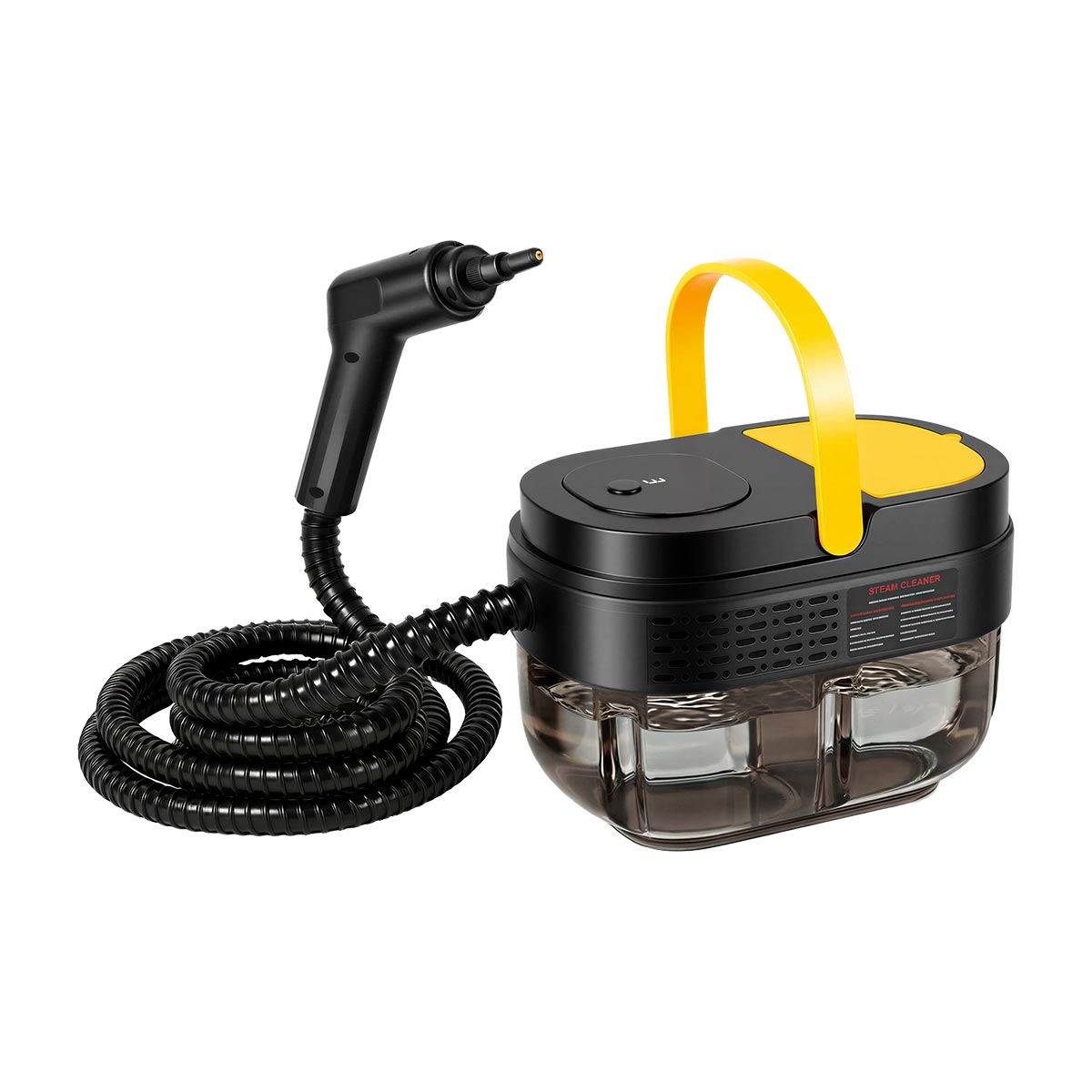
The prompt logic is simple: identify the product and reference angles, ask for commercial studio lighting, a pure white background, stronger material texture, Amazon main-image suitability, and unchanged product details. The last phrase matters. Consistency has to be requested and then checked.
Practical workflow for sellers
- Start with the purchasing file: product parameters, included parts, dimensions, material, usage limits, and competitor links.
- Let AI summarize and organize the information, but use a category-aware judgment framework instead of a blank prompt.
- Weight the inputs before generating: product facts, competitor proof, and buyer usage habits.
- Produce two or more image directions, then review them manually.
- Generate main and secondary visuals only after the direction is approved.
- Use phone shots as source material when they are accurate enough, but check every AI-polished result against the real product.
Upload checklist
- Product shape, details, material, and included parts remain unchanged.
- The image plan reflects real buyer questions, not only a nice background.
- Competitor learning does not become copied layout or copied claims.
- Every selling-point image has one clear task.
- Abstract benefits are translated into concrete, truthful scenes.
- AI-generated images are reviewed before they are uploaded.
- Main images and secondary images still meet the current Amazon surface requirements.
- Any reported conversion improvement is treated as case evidence, not a universal guarantee.
What to bring into Ochra
Bring the product source photo, purchasing or parameter PDF, competitor links, target Amazon surface, image purpose, must-preserve details, forbidden claims, and the buyer question each image should answer.
If the product needs installation, load-bearing, safety, material, size, or included-parts clarity, write that down before generating. The model can make a picture look good quickly. The seller still has to decide whether the picture is true enough to publish.
FAQ
Is this cheaper than a normal product shoot?
It can reduce cost when the team already has accurate product information and basic source photos. It is not cheaper if the team skips product facts and then has to regenerate or retouch repeatedly.
Can a general AI chat model replace the planning agent?
For a skilled operator, sometimes. The hidden cost is the time spent building rules, adjusting context, and repeating the same judgment across categories. The point of the agent was to make that judgment more repeatable.
Why keep a human review before image generation?
Because the expensive mistake is not an unattractive image. It is an image that presents the wrong product logic, unsupported claim, or misleading use scene.
Should every product use GPT-image-2 or Nano Banana?
Use the model that matches the job. In this case, Nano Banana was useful for fast generation and some scene combinations, while GPT-image-2 was better for more complex instruction following. Neither removes the need for product QA.